
Mitosis Mutations: Every Named Mutation and How to Tell It Apart
Every named Mitosis mutation — value mutations like Galaxy and Yin-Yang, traits like Jackpot, special balls like Rotten — and how to tell them apart in-game.
Mutations in Mitosis are easy to mix up by looks alone, but the game gives you two reliable tools: the MUTATIONS menu, which names every entry, and a hover tooltip that tells you exactly what any ball on the playfield carries. The directory names at least six value mutations — Yin-Yang, Galaxy, Frozen, Toxic, Gold and Stone — the traits Jackpot, Vampire, Echo, White Cell and Coin Ball, and other named balls such as Molten, Storm, Queen, Zombie, Speedy Ball and Rotten.
Read a ball's details before judging it
Open MUTATIONS to check your collection and inspect YOUR BEST BALL, which records the composition of your top ball. For anything on the playfield, hover over the ball and read its details panel:
- VALUE — its value mutations.
- TRAITS — the traits attached to it. A ball can carry both categories at once, with multiple entries in each.
- PAYS — the whole ball's displayed payout multiplier.
- 1/N — a probability-style label, separate from cash payout, VALUE multipliers and leaderboard score.
Treat a 1/N label seen during an event with care: event bonuses can affect the conditions under which these labels appear, so it is not necessarily the unboosted base chance.
The directory itself supports search by name or alias plus a category filter, and every entry has a More details view with its additional properties.
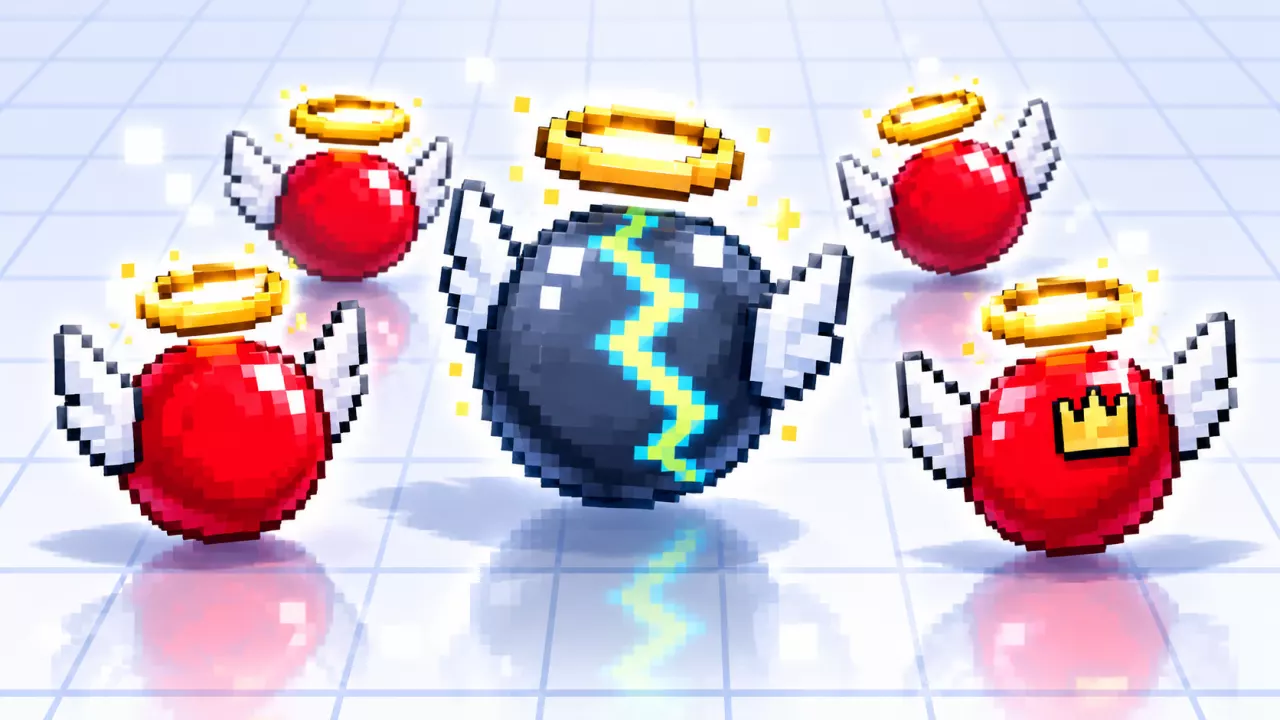
One appearance trap to know: wings and a halo can come from the Little Angel accessory equipped on a ball — including on Galaxy, Storm and Queen examples — and accessories do not identify a mutation. Always use the ball's name and tooltip alongside its looks.
The named value mutations
| Value mutation | What it looks like | In-game label |
|---|---|---|
 Yin-Yang Yin-Yang | Black-and-white Yin-Yang ball | — |
 Galaxy Galaxy | Purple galaxy pattern with glowing particles | GALAXY! |
 Frozen Frozen | Pale blue ball with diagonal icy highlights | FROZEN |
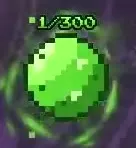 Toxic Toxic | Bright green ball with a green aura | TOXIC |
| Gold | Not covered here — confirm on the tooltip | — |
| Stone | Not covered here — confirm on the tooltip | — |
Toxic, Gold and Stone are recorded as value mutations on a Penta-Mutant Vampire ball's VALUE list, so all six above belong to the same category. Gold and Stone's looks are not described here, so confirm them on the ball's tooltip or its directory entry.
The named traits
Traits attach to balls alongside value mutations, and each has its own marker or label:
| Trait | How to recognize it |
|---|---|
 Jackpot Jackpot | JACKPOT! label and a green seven-shaped icon |
 Vampire Vampire | Purple-red V marker |
| Echo | Red ball with blue swirling trails and a blue marker |
| White Cell | White cross-shaped icon |
| Coin Ball | Red ball with a yellow coin marker and a golden glow |
Vampire is easiest to place from the Vampire Toxic ball, which pairs the Toxic value mutation with the Vampire trait; the mutation mixes guide covers the confirmed recipe.
Jackpot also matters for your collection: Lucky Sevens requires one Jackpot ball, and High Roller requires five Jackpot balls included in a single sale. Both are tracked among the game's collection goals.
Molten, Storm, Queen, Zombie, Speedy Ball and Rotten
The directory also lists these named balls. It does not state a category for them, and each comes with its own tell or quirk:
| Ball | What to know |
|---|---|
| Storm | Dark blue-gray ball with lightning markings; STORM! label |
| Queen | Red ball with a golden crown marker and a pale golden glow; QUEEN! label |
| Molten | Favored during Lava Rain, whose message says BALLS MUTATE ×1.75 and that most balls turn Molten while the event is active |
| Zombie | With AUTO enabled, Auto-Split also splits Zombie evolution balls — turn AUTO, beside SPLIT, off to split them manually |
| Speedy Ball | Named in the Minimum Cooldown achievement as a way to reach the cooldown floor |
 Rotten Rotten | Dark red ball with a ROTTEN! label — and a $0 payout until cured |
Cure Rotten before it costs you
A Rotten ball pays nothing — its tooltip shows 0 cash — so treat it as soon as you notice the warning:
- Hover over the affected ball and check its Rotten tooltip.
- Click the ball before using SPLIT.
- Look for the CURED! feedback to confirm the treatment worked.
Speed matters. Too Late describes attempting to cure a ball that has already rotted, so clicking is not a guarantee of recovery at every stage — only the CURED! feedback confirms success.
Read PAYS, not just the VALUE entries
Multiplier entries don't add up the way you might expect. In one eight-mutation YOUR BEST BALL preview, the VALUE entries read Yin-Yang ×16, Galaxy ×12 and Frozen ×3, while the whole ball's PAYS read ×85.25 — multiplying those three VALUE numbers together does not reproduce that payout. When you are judging what a fused ball actually returns, check PAYS.
The Yin-Yang → Galaxy → Frozen ordering applies only to those three entries in that VALUE field of that preview; it does not rank how hard each mutation is to get or how useful traits are.
Once you know the labels and trust the tooltip, every named ball becomes recognizable at a glance. When entries are missing from your collection, the guide to getting mutations covers how to find them.
Related Guides
How to Get Mutations
Understand how splitting discovers mutations, when Eclipse and Lava Rain boost your chances, and where to check unlocks.
Mutation Mixes: Vampire Toxic & Reading a Mix
Learn Vampire Toxic's ingredients and read a mixed ball's components and displayed payout, with an eight-mutation example.
How to Split Cells and Confirm It Worked
Use the SPLIT button correctly, watch the × counter to confirm it worked, and keep your batch growing.
How to Sell Cells
Locate the SELL button, understand the split-sell loop and the SELL lock, and time your sales for more Cash.